
Get your invoices paid.
Chasivo is invoice-chasing software for businesses that send invoices. It writes follow-ups in your voice, sends them from your Gmail, and learns each customer’s payment behavior so the right message goes out at the right time.
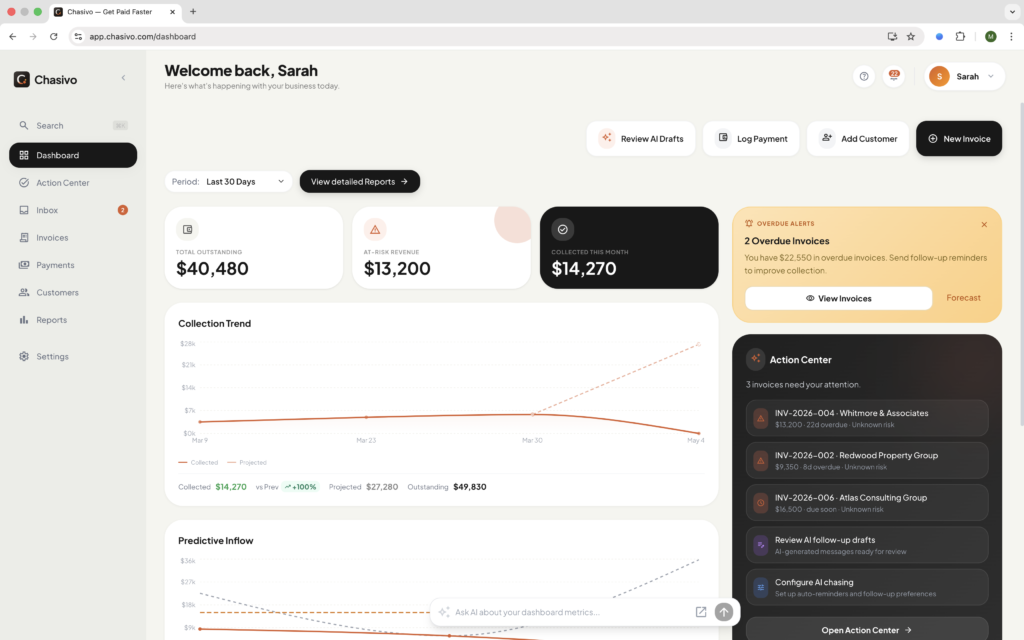
Revenue stalls when follow-ups happen too late, too soft, or not at all. Chasivo is the invoice chasing software that gets invoices paid.
Ditch generic reminders. Send reminders that yield actions.
Every invoicing tool sends the same chase email on day 30. Some customers pay on day 28. Others won’t pay until you’ve followed up three times. Your tool doesn’t know the difference. Chasivo does.
Collect faster with four AI-powered tools
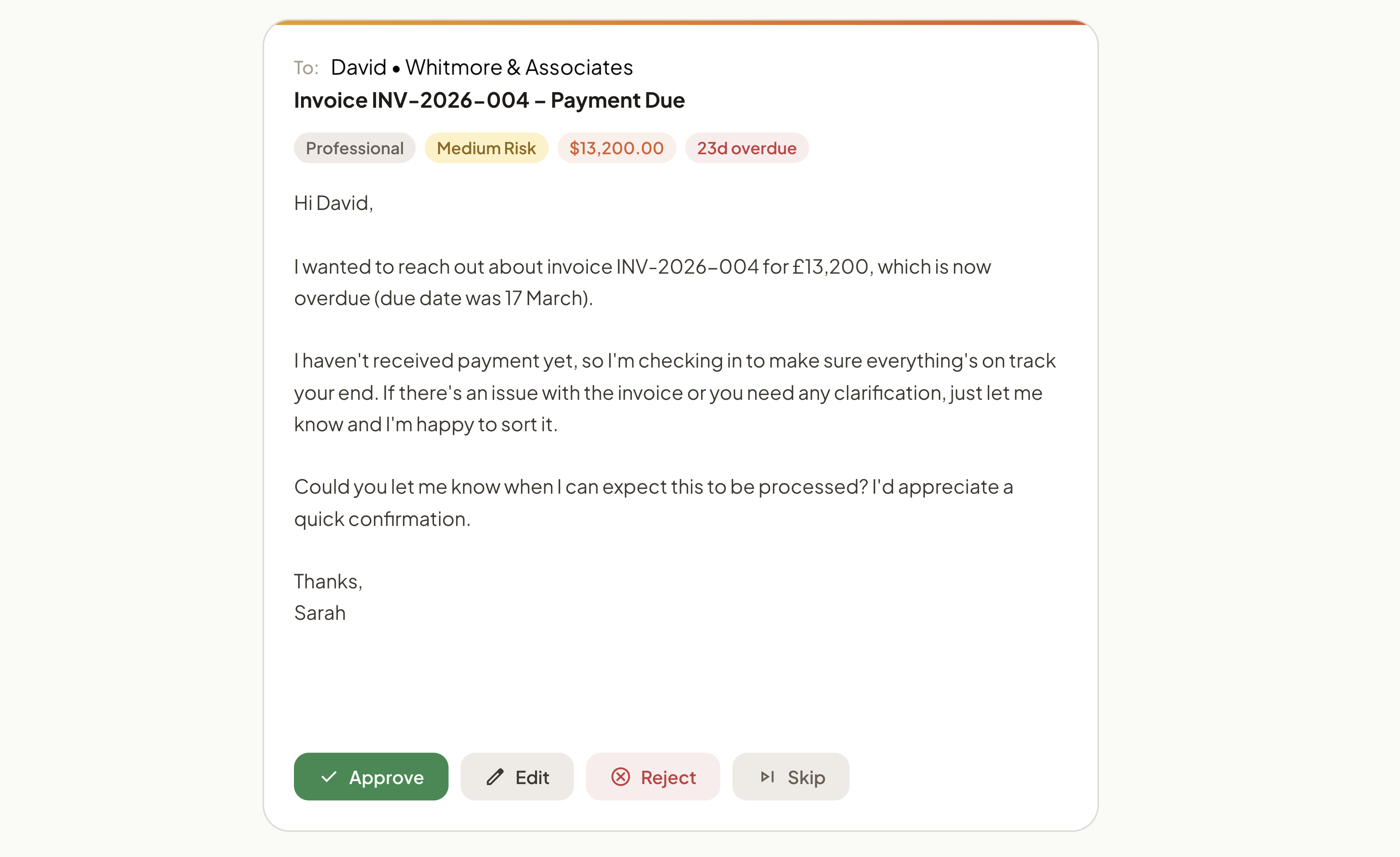
AI Follow-up Drafts
Chasivo reads the invoice history, the customer’s payment pattern, and your tone preferences, then writes a follow-up that references the right invoice, the right amount, and the right level of urgency. You approve, edit, or let the invoice reminder software send it automatically.
Learn more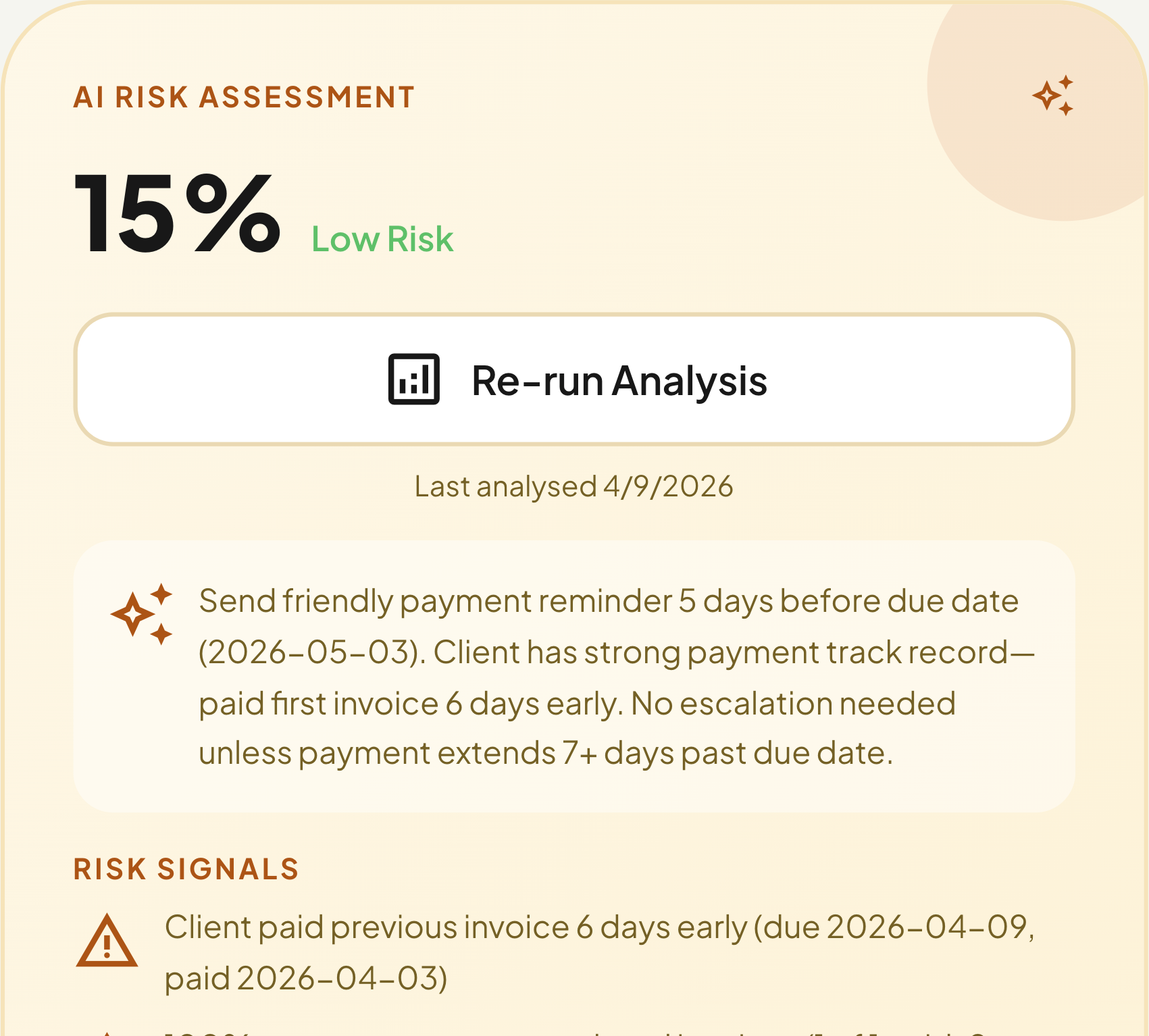
Risk Scoring
Every invoice gets a risk score from 0 to 100 before it’s due. The score factors in days-to-pay history, invoice size, past chasing activity, and whether the customer has broken a payment promise. High-risk invoices surface first.
Learn more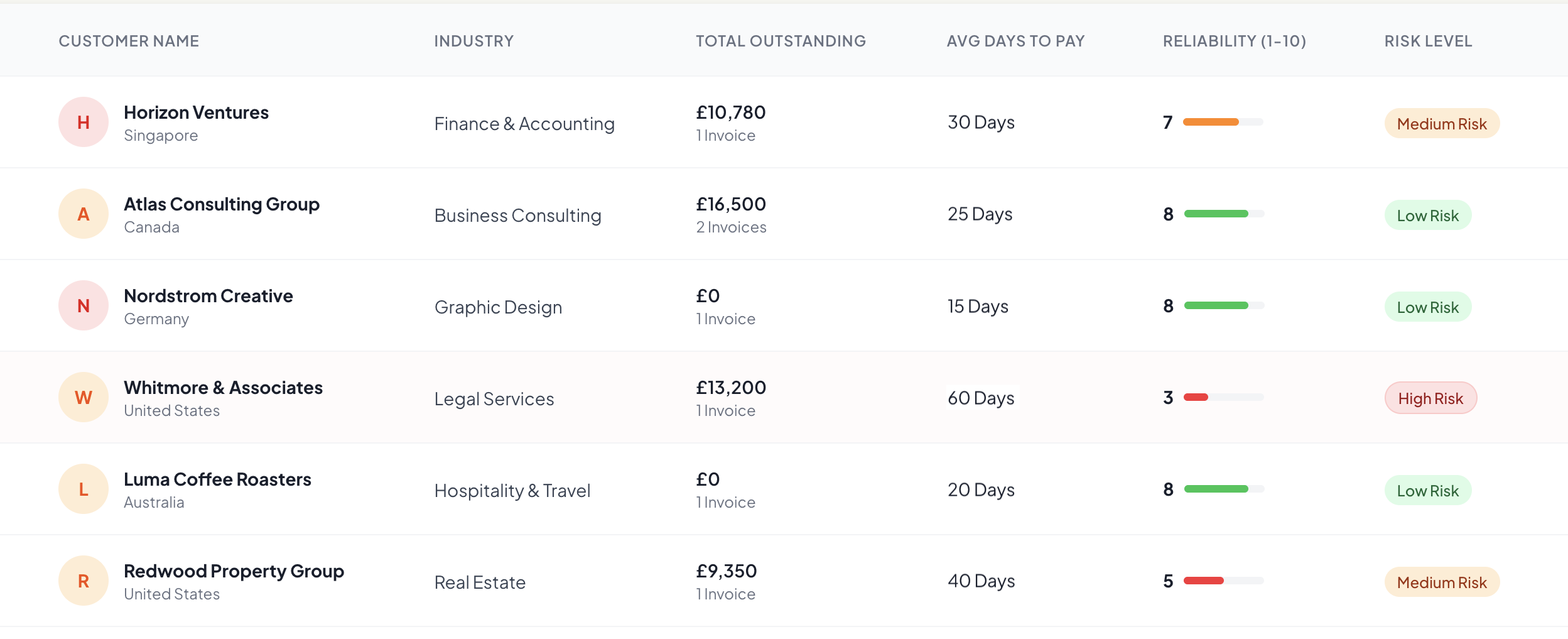
Customer Intelligence
Chasivo builds a payment profile for every customer over time. Average days to pay, reliability score, risk level, trust rating, and response patterns. The AI uses this to decide when to follow up, how firmly, and whether to escalate. The longer you use it, the more accurate it gets.
Learn more
Send from Your Own Email
Follow-ups send from your Gmail address. Your name, your reply-to, your signature. Customers see an email from you, not a generic notification from invoice reminder software they have never heard of. Replies come back to your inbox.
Learn moreHow it works:
Setup under 5 minutes
No setup wizards. No onboarding calls. Add your customers and invoices, Chasivo starts working from invoice one.
01
Add your customer
02
Add your invoice(s)
03
Connect your mailbox — Gmail, Outlook, or Custom SMTP
04
Set your chasing mode
Copilot drafts for your approval
Manual gives you control.
Pause chasing anytime.
05
Chasivo handles the rest
Works with your tools
Connect your email, accounting, and payment tools. Chasivo fits into the stack you already use.








Spend less time chasing invoices. Collect more of what you’re owed.
Get paid faster
Chasivo follows up within hours of a missed due date. Automated invoice reminders across multiple touchpoints mean no invoice sits idle while you decide what to write.
Protect your relationships
Every follow-up matches the tone you’d use yourself. Chasivo adjusts formality based on the length of the relationship, the customer’s payment history, and how they’ve responded to previous messages.
See problems before they hit
Risk scores surface late-paying customers before the due date arrives. You get time to adjust terms, reach out early, or escalate. Not time to react after the money is already late.
Reclaim your time
A manual invoice follow-up takes 10 to 15 minutes when you factor in context, tone, and timing. Chasivo does it in seconds. Multiply that across every open invoice in your book.